Where can I check that I'm using a new engine? Sorry if this was a stupid question, but I'm a complete novice at these things and I'm just starting my FM adventure.new update 1.4
Patch notes - Physics file:
Patch notes - Player Ratings file:
- Walking parameters, header parameters and keeper parameters adjusted to match the balance and formula of the file.
- Acceleration and deceleration parameters readjusted and adapted to the new formula used for the wider file.
- No more speed bugs, off the ball bugs, animations of players lifting from the ground after a tackle, among others; plus no more glitchy animations.
- Ratings for defensive roles have been adjusted: defensive plays are rewarded more, offensive mistakes are punished less-
- For offensive roles, the opposite is true: offensive plays are rewarded more, defensive mistakes are punished less.
- All roles have been balanced: now every role can compete for best player of the competition, best players in each role will stand out equally.
You are using an out of date browser. It may not display this or other websites correctly.
You should upgrade or use an alternative browser.
You should upgrade or use an alternative browser.
Vujevic tactics for FM 24!
- Thread starter vujevic
- Start date
- Replies 2K
- Views 1M
Where can I check that I'm using a new engine? Sorry if this was a stupid question, but I'm a complete novice at these things and I'm just starting my FM adventure.
you just dowload this file and replaceexisting one
test completed I failed with 3 at back
4 at back working good played last 10 games and working fine
rpm version is for stronger team or whn you need to score
azurev7 set pieces attached
Attachments

White Europe
Member
- Joined
- Feb 2, 2014
- Messages
- 3,402
- Reaction score
- 1,000
- Points
- 113
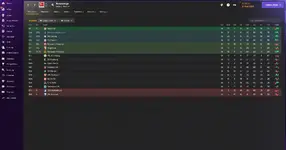
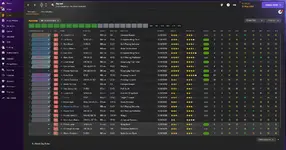
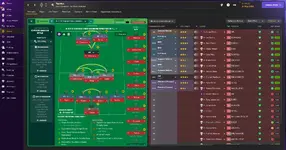
Target man didnt do much for me upfront, PF A works better in my opinion
this version is for better teams I am using other one
Sir Vujevic
Are we still waiting lives and guides? It would be great if you released more ready-made saves like with Everton Fm 23 for 24 for download
I dont understand nothing what you wrote
alex_nick12
Member
- Joined
- Dec 27, 2009
- Messages
- 143
- Reaction score
- 43
- Points
- 28
I understood only the first part. He wants the youtube videos of you playing with a team and tactic (as we all wantI dont understand nothing what you wrote
 ). The second part with fm23..24...i dont understand
White Europe
Member
- Joined
- Feb 2, 2014
- Messages
- 3,402
- Reaction score
- 1,000
- Points
- 113
He meant you could upload your save before you start the season like you did with everton in fm 23
I understood only the first part. He wants the youtube videos of you playing with a team and tactic (as we all want